Most Shopify stores that fail on paid ads don’t fail because the ads don’t work. Instead, they fail because they launched before the store was ready — and no amount of campaign optimization can fix a foundation that wasn’t there to begin with.
The question isn’t “should I run ads?” The question is whether your store is ready for paid ads right now, today, with the margins, the tracking, the landing pages, and the creative you currently have. Launching too early burns budget and, worse, teaches you the wrong lessons. A bad first experience with Meta, Google, or OpenAI Ads usually isn’t a signal about the channel — it’s a signal about readiness.
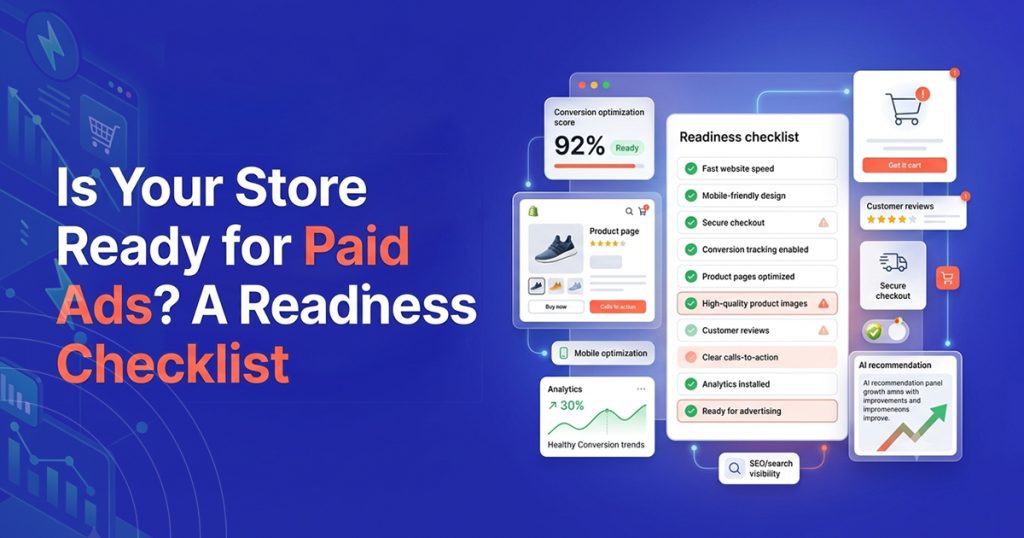
This checklist covers the six benchmarks your store needs to clear before you spend a dollar. If you clear all six, launch with confidence. If you don’t, this guide also covers exactly what to fix first so you’re ready when the time comes.
Why Launching Before You’re Ready Costs More Than Waiting
The temptation to start ads early makes sense — you want growth, and paid channels promise it. However, launching on a weak foundation creates three compounding problems.
You draw the wrong conclusions
If your tracking misses a third of your sales, your ROAS looks worse than reality. You conclude the channel doesn’t work and move on. In reality, the channel worked — your measurement didn’t. That false conclusion costs you months of growth you’ll never recover.
The algorithm learns the wrong lessons
Modern ad platforms — Meta, Google, and now OpenAI Ads — optimize based on the conversions you report. Feed them incomplete data from a store that isn’t ready, and the algorithm builds its targeting model on the wrong buyers. Consequently, fixing the foundation later requires not just better data but also weeks of re-learning to undo what the algorithm already “knows.”
You burn your first-impression budget
Every platform’s first 30 days matter disproportionately. The initial data shapes the algorithm’s model, your CPCs settle during this window, and on newer platforms like ChatGPT Ads, early-mover advantages compound. Wasting that window on a store that isn’t ready means repeating it later at higher cost and without the early-mover edge.
Benchmark 1: Your Unit Economics Support Paid Acquisition
Paid ads don’t create margins — they require them. Before anything else, confirm your numbers leave room for a customer acquisition cost.
The math to run
Calculate your average order value (AOV), subtract your cost of goods sold (COGS), subtract shipping costs, and subtract payment processing fees. What remains is your gross margin per order. That margin is the maximum you can spend to acquire one customer and break even on the first purchase.
What good looks like
For most Shopify stores, a gross margin of 60%+ gives comfortable room for paid acquisition. Margins between 40% and 60% work but require tighter targeting and lower CPCs. Below 40%, paid ads on a first-purchase-breakeven model become extremely difficult unless your customer lifetime value (LTV) justifies the upfront loss.
If you’re not there yet
Raise AOV through bundles, upsells, or minimum-cart incentives before launching ads. Alternatively, improve your COGS through better supplier pricing or product mix. Fixing margins first ensures every ad dollar has room to produce a return rather than just accelerating a loss.
Benchmark 2: You Have Product-Market Fit Signals
Paid ads amplify what already works. They don’t, however, create product-market fit from scratch. Before spending on acquisition, confirm your product sells organically.
Signals that you’re ready
- You’ve made at least 50 sales through organic, direct, or referral traffic.
- Your return rate sits below 10% for physical products.
- You receive repeat purchases or positive reviews without prompting.
- Customers describe your product in their own words — meaning they understand the value proposition without help.
Signals that you’re not ready yet
- Most sales come from friends, family, or personal network.
- Your return rate exceeds 15%.
- Customer feedback consistently flags confusion about the product, sizing, or expectations.
- You haven’t validated pricing — your current price is a guess rather than a tested number.
If you’re not there yet
Spend the ad budget on customer research instead. Run a small batch of manual outreach, gather feedback, iterate on the product page, and wait until organic signals confirm demand. Paid ads make an existing flame bigger — they don’t light one that doesn’t exist.
Benchmark 3: Your Website Converts Visitors Into Buyers
Traffic means nothing if your store can’t convert it. Before you send paid visitors, confirm your site does the basics right.
Page speed
Run your top five product pages through Google PageSpeed Insights. If mobile load time exceeds three seconds, fix it before launching ads. Paid traffic — especially from ChatGPT Ads, where the user just had an instant AI experience — bounces hard on slow pages.
Product pages
Each product page needs a clear hero image, a benefit-driven description (not just specs), visible pricing, obvious add-to-cart placement, and social proof if you have it. If a stranger can’t understand what the product does and why they should buy it within five seconds of landing, the page isn’t ready for paid traffic.
Checkout flow
Test your own checkout from start to finish on both mobile and desktop. Check that discount codes work, shipping rates display correctly, and payment processes without errors. A broken checkout wastes every dollar you spent getting the visitor there.
Mobile experience
On most Shopify stores, mobile accounts for 65%+ of traffic. If your site is optimized for desktop and merely functional on mobile, you’ll lose the majority of your paid clicks. Browse your store on your phone the way a first-time visitor would — and fix everything that creates friction.
Benchmark 4: Your Conversion Tracking Actually Works
This is the benchmark most stores skip entirely, and consequently it’s the one that causes the most expensive failures.
The minimum tracking setup
Every ad platform needs a working pixel that reports purchase events accurately. At minimum, your tracking should capture page views, add-to-carts, and purchases with correct order values in your store’s currency. Events should fire in real time and each sale should count exactly once.
Why browser-only tracking isn’t enough
A browser-only pixel misses roughly 35% of conversions to ad blockers, iOS privacy restrictions, and checkout redirects. That gap means your reported ROAS runs 35% too low, your CPA runs 35% too high, and the algorithm optimizes toward a biased subset of your buyers. If you launch ads on browser-only tracking, you’re flying on 65% of your data and making 100% of your decisions on it.
What ready looks like
Server-side tracking through a Conversions API connection that confirms every order directly from Shopify’s servers. Count installs this in one click with a 99.4% match rate against actual Shopify orders — and the free plan covers the full server-side pixel with automatic deduplication.
Install and verify tracking before your first campaign, not after. You can’t retroactively attribute conversions from campaigns that ran on broken measurement.
Benchmark 5: You Have Creative Assets Ready
Launching without creative is like opening a restaurant without a menu. Each platform demands specific assets, and improvising on launch day produces weak results.
For Meta Ads
You need at least three to five scroll-stopping image or video creatives, each with a clear hook in the first two seconds. Strong UGC, lifestyle imagery, and before-and-after content outperform polished brand videos in most DTC categories. Prepare multiple variations so the algorithm can test angles.
For Google Ads
You need product data feed setup through the Google & YouTube Shopify channel for Shopping Ads, plus three to five text ad variations for Search with benefit-driven headlines and clear CTAs.
For OpenAI Ads
You need three to five text-based ad variations with problem-first headlines and benefit-driven descriptions. The conversational format rewards helpful, specific copy rather than urgency or brand slogans. Write as though you’re recommending the product to a friend who just asked for advice.
If you’re not there yet
Build a creative library before launching. Photograph products in context, collect customer testimonials, and write ad copy that addresses the five most common questions buyers ask before purchasing. Better creative on day one means faster learning and lower costs.
Benchmark 6: Your Budget and Timeline Are Realistic
Underfunding an ad test is worse than not testing at all, because it produces inconclusive data that leads to wrong conclusions.
Minimum test budgets by platform
- Meta Ads: $20–$50/day for 30 days = $600–$1,500 minimum test
- Google Ads: $30–$100/day depending on category CPC = $900–$3,000 minimum test
- OpenAI Ads: $25–$50/day for 60 days = $1,000–$1,500 minimum test (the algorithm needs longer to learn on a new platform)
Timeline expectations
No platform produces reliable data in one week. Expect two to three weeks before the algorithm exits its learning phase and another one to two weeks before you can confidently evaluate performance. A 30-day minimum commitment is realistic for Meta and Google. For OpenAI Ads, 60 days gives a clearer picture because the auction is newer.
If you can’t commit this budget
Wait until you can. Running $10/day for five days and concluding the channel doesn’t work is the most expensive mistake in paid acquisition — not because of the $50 you spent, but because of the false conclusion you carry forward.
The “Not Ready Yet” Path
If one or more benchmarks don’t pass, that’s useful information rather than bad news. Here’s the priority order for getting ready.
First, fix your unit economics. If your margins can’t support a customer acquisition cost, nothing else matters. Second, confirm product-market fit through organic sales and customer feedback. Third, optimize your site — page speed, product pages, checkout, and mobile experience. Fourth, install server-side tracking and verify it with a test order. Fifth, build your creative library. Sixth, accumulate enough budget for a proper test.
This sequence takes most stores two to four weeks. That’s not lost time — it’s the difference between a first campaign that teaches you something real and one that wastes money confirming nothing.
Install Count free on Shopify → — even if you’re not ready for ads yet, installing server-side tracking now means your pixel collects baseline data from day one. When you are ready, the algorithm has a head start.
The “Ready” Path
If all six benchmarks pass, launch with confidence. Start with the platform that fits your product best — Meta for visual, discovery-driven categories; Google for high-intent search categories; OpenAI Ads for research-heavy, comparison-driven purchases.
If the setup, creative, or daily management feels like more than your team can handle alongside everything else, Count’s managed ads service runs the launch on the same server-side tracking foundation — starting with a free readiness audit that confirms your store passes every benchmark before you commit spend.
Frequently Asked Questions
Readiness and timing
Q1: How do I know if my store is ready for paid ads?
Check six benchmarks: gross margins above 40% (ideally 60%+), product-market fit signals from organic sales, a website that converts visitors on mobile, working server-side conversion tracking, creative assets ready for your chosen platform, and a realistic budget you can sustain for 30–60 days. If any benchmark fails, fix it first — launching on a weak foundation wastes budget and produces misleading results.
Q2: What’s the minimum budget to test paid ads on Shopify?
For Meta, $600–$1,500 over 30 days. For Google, $900–$3,000 depending on your category’s CPC. For OpenAI Ads, $1,000–$1,500 over 60 days. Spending less than these ranges produces inconclusive data that leads to wrong conclusions. If you can’t commit the minimum yet, wait until you can rather than running an underfunded test.
Q3: Should I start with Meta, Google, or OpenAI Ads?
Start with the platform that matches your product’s buying journey. Visual, discovery-driven products (fashion, beauty, home) typically perform best on Meta first. Products with strong search demand (specific tools, software, problem-solving products) suit Google first. Research-heavy, comparison-driven purchases increasingly favour OpenAI Ads, especially in categories where Google CPCs run high.
Q4: Can I run ads if my margins are below 40%?
You can, but only if your customer lifetime value justifies the upfront acquisition cost. First-purchase profitability becomes very difficult at low margins, so you need strong repeat-purchase data or subscription revenue to make the math work. If you don’t have LTV data yet, improve margins first.
Tracking and setup
Q5: Why do I need server-side tracking before launching ads?
Because a browser-only pixel misses roughly 35% of your sales to ad blockers, iOS privacy restrictions, and checkout redirects. Launching ads on incomplete tracking means your reported performance looks worse than reality, the algorithm optimizes on biased data, and you draw wrong conclusions about whether the channel works. Server-side tracking captures 99%+ of orders and gives the algorithm a complete, accurate signal from day one.
Q6: Should I install tracking even if I’m not ready for paid ads yet?
Yes. Installing server-side tracking before you launch ads means your pixel collects baseline data — page views, add-to-carts, and organic purchase patterns — from day one. When you are ready to launch, the algorithm has that baseline to learn from rather than starting completely cold. The free plan covers the full pixel, so there’s no cost to starting early.
Q7: What’s the most common reason Shopify stores fail at paid ads?
Launching before the foundation is ready — specifically, running ads on broken or incomplete tracking, with product pages that don’t convert, at budgets too small to generate reliable data. The store concludes the channel doesn’t work, but in reality the store wasn’t ready. Fixing the foundation first prevents the most expensive mistake in paid acquisition: a false negative that keeps you away from a channel that would have worked.