Every merchant who fixes their tracking gap eventually creates a second, quieter problem.
You read about browser pixels missing a third of your conversions. You add server-side delivery. The purchases finally start landing. And then, a few weeks later, you notice something odd: your ad platform reports 340 sales for the month. Shopify reports 178. Your ROAS looks incredible. Your accountant disagrees.
You didn’t fix undercounting. You traded it for overcounting — and overcounting is arguably worse, because it feels like winning.
The mechanism behind this is event deduplication, and it is the single most misunderstood piece of modern conversion tracking. This post explains what deduplication actually does, why running two tracking methods demands it, exactly how platforms decide two events are the same event, and how to verify that yours works before you scale spend against numbers that describe nothing.
Why You End Up With Two Events for One Sale
Start with why anyone runs two tracking methods at all.
A browser pixel sees things the server never will. It watches a shopper scroll a product page, filter a collection, hover a size chart, abandon a cart. Those on-site behavioural signals matter for optimization, and only the browser can capture them.
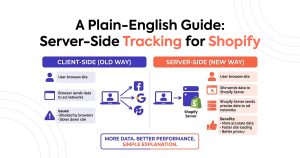
A server-side pixel sees the one thing the browser routinely loses: the confirmed purchase. Shopify’s order webhook fires from Shopify’s own infrastructure, so ad blockers, iOS ITP, closed tabs, and Shop Pay redirects can’t touch it.
So the correct architecture keeps both. The browser handles the rich mid-funnel signals; the server guarantees the money event. Nearly every serious advertiser on Meta and Google has run this dual setup for years.
The collision
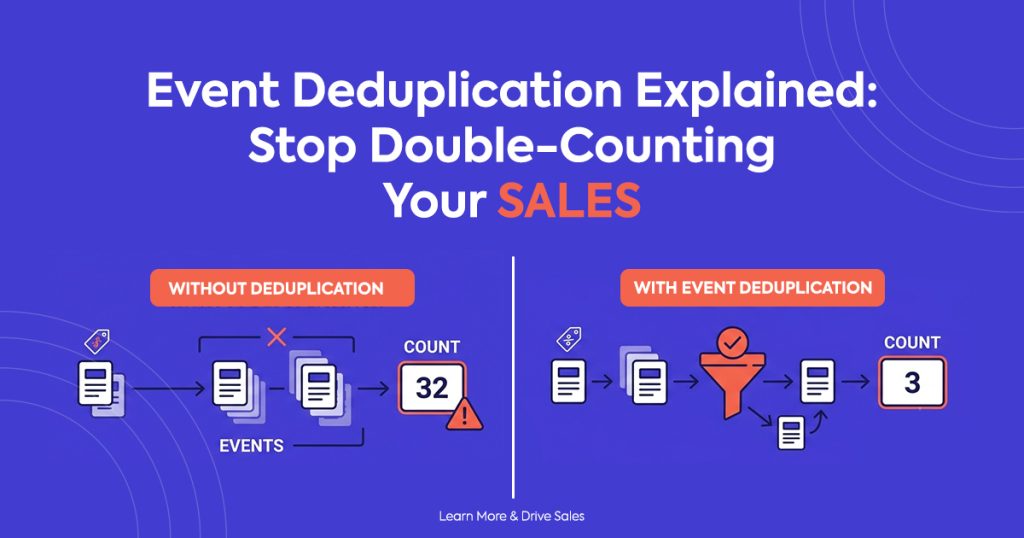
Here’s the collision nobody warns you about. A shopper completes checkout on a device with no ad blocker and a stable connection. The browser pixel fires a purchase event. Moments later, Shopify’s webhook fires a purchase event for the same order. Two events. One sale.
Your ad platform now has a decision to make, and without help, it makes the wrong one: it counts two conversions. Multiply that across every shopper whose browser did successfully fire, and your reported conversion volume inflates by 60 to 70 percent — because that’s roughly the share of traffic where both tracks succeed.
What Event Deduplication Actually Is
Event deduplication is the process an ad platform uses to recognize that two incoming events describe the same real-world action, and to count that action only once.
The platform doesn’t guess. It doesn’t compare timestamps and hope. It looks for a shared identifier that you attach to both events — and if the identifiers match, it keeps one and discards the other.
That identifier carries different names on different platforms:
| Platform | Deduplication key | Notes |
| Meta (Facebook) | event_id + event_name | Both must match; 48-hour dedup window |
| Google Ads | transaction_id / order_id | Enhanced conversions match on order |
| OpenAI Ads | event_id | Conversions API accepts a client-supplied ID |
| TikTok | event_id | Paired with event name |
The naming varies. The principle never does: you supply the key, on both tracks, identically. No shared key, no deduplication. The platform simply has no way to know the two events belong together.
The window matters too.
Deduplication is not permanent. Platforms only compare incoming events against a recent buffer — Meta’s window runs 48 hours, and most others land in a similar range. If your server event arrives four days after the browser event, no dedup happens, and the sale counts twice regardless of how perfect your event_id is.
In practice this rarely bites you, because Shopify’s webhook fires within seconds. But it does explain a specific failure mode: if you batch server-side uploads nightly or weekly instead of streaming them in real time, your deduplication quietly stops working.
What Makes a Good Deduplication Key
This is where most self-built implementations go wrong, so it deserves precision.
A deduplication key must be three things at once.
Unique
One key per real-world conversion. If two different orders can produce the same key, the platform discards a genuine second sale, and now you’re undercounting again — the exact problem you set out to fix.
Stable
Both tracks must derive the same key independently, at different moments, on different infrastructure. The browser generates its event at checkout completion. The server generates its event when Shopify records the order. Neither one can see what the other produced. So the key has to come from a value both sides can read from the same source of truth.
Deterministic
No randomness. No timestamps. No session IDs.
That last point kills a surprising number of DIY setups. A developer generates a random UUID in the browser, sends it with the browser event, and then generates another random UUID on the server. Both events look valid. Neither shares an ID. Every sale counts twice, and the dashboard gives no warning at all.
The right answer on Shopify
Use the Shopify order ID.
It’s unique by definition; it’s stable the instant Shopify creates the order, both the browser context and the webhook payload can read it, and it involves no randomness whatsoever. Prefix it if you like namespacing — order_5821094 — but keep the transformation identical on both sides. Even a trailing space breaks the match.
Avoid these as keys:
- Timestamps. Browser and server clocks differ by milliseconds, which is enough to fail an exact-match comparison.
- Session or cookie IDs. The server has no reliable access to them, which is the entire reason you went server-side.
- Customer email. A repeat customer’s second order collapses into their first.
- Cart token. It sometimes changes between checkout and order creation.
How to Tell If You’re Double-Counting Right Now
You don’t need special tooling for the first check. You need Shopify and a calculator.
The 60-second audit
Pick a completed week. Note the number of orders in your Shopify admin. Note the number of purchase conversions your ad platform reports for the same window, matched on the same attribution basis.
Read the ratio:
- Platform ≈ Shopify: deduplication works. Move on.
- Platform ≈ 1.5× to 1.7× Shopify: classic double-counting. Both tracks fire, no shared key.
- Platform ≈ 2× Shopify: every event duplicates — usually a manually pasted theme snippet running alongside an app.
- Platform ≈ 0.6× to 0.7× Shopify: you’re browser-only, and undercounting rather than double-counting.
That single ratio diagnoses more tracking problems than any dashboard.
Three symptoms that give it away
Your ROAS looks too good. Trust this instinct. A channel that suddenly doubles its return without any change in creative, bid, or audience didn’t get better — your measurement got worse.
Your platform AOV drops. Platforms divide total revenue by conversion count. Double the conversions, halve the reported AOV. If your ad platform thinks your average order is $34 while Shopify says $68, you’ve found your answer.
Your cost per acquisition looks impossible. Spend stays flat, conversions double, CPA halves. Nothing real happened.
Why Double-Counting Costs More Than Undercounting
Both distortions mislead you. Double-counting misleads you in the more expensive direction.
It teaches the algorithm nonsense.
Ad platforms optimize toward the conversions you report. Duplicate events don’t distribute evenly across your audience — they cluster on shoppers whose browsers don’t block tracking. So the algorithm sees that segment convert at twice the rate of everyone else, and it chases them harder. You end up paying a premium to reach the narrowest, most trackable slice of your market while the model actively discounts buyers it should pursue.
Undercounting hides opportunity. Double-counting manufactures a false one and then funds it.
It survives scrutiny longer.
An undercounting merchant sees disappointing ROAS, gets suspicious, and investigates. A double-counting merchant sees excellent ROAS and celebrates. Nobody audits good news. That’s why these setups run for months, and why the discovery usually arrives through a P&L that refuses to match the ad dashboard.
It compounds at scale.
Bad data hurts most where you commit most. Merchants scale into what looks like their best-performing campaign, and the inflation scales right alongside the spend — until real revenue and reported revenue diverge far enough that someone finally checks.
How Count Handles Event Deduplication Automatically
Count installs your ad pixel server-side on Shopify in one click, and it solves this problem by construction rather than configuration.
It derives the key from the Shopify order ID. Both the browser event and the server event carry the same event_id, built the same way from the same authoritative value. You don’t generate anything, match anything, or configure anything.
It streams in real time. The server event reaches your ad platform in under 60 seconds, comfortably inside every platform’s dedup window. No batching, no nightly upload that silently breaks the match.
It reports exact order values. Deduplication fixes the count; correct values fix the revenue. Count sends discounts, currency, and refunds precisely, so a deduplicated conversion also carries the right number attached to it.
It shows you the evidence. The real-time event log displays each event as it lands, with its delivery source and its ID. You can place a test order and watch the purchase appear exactly once — which is the difference between believing your tracking works and knowing it does.
The measured outcome across live stores: a 99.4% conversion match rate against actual Shopify orders. Not 64% from browser-only undercounting, and not 170% from unmanaged double-counting. Matched.
Setup takes under two minutes, and the free plan includes the full server-side pixel with deduplication. Accuracy isn’t the upsell — it’s the product.
Install Count on Shopify — free →
If You’d Rather Build It Yourself
Some teams will, and the path is clear enough to describe honestly.
Generate your event_id from the Shopify order ID and apply the identical transformation on both tracks. Fire the browser event through Shopify’s Web Pixels API rather than a theme snippet, so theme updates don’t silently break it. Fire the server event from the order webhook, in real time, never batched. Match event_name alongside event_id, because Meta requires both. Then audit the platform-to-Shopify ratio weekly for the first month.
The part that catches most teams isn’t the logic — it’s the drift. Someone installs a second pixel through an app, a theme migration duplicates a snippet, a subscription tool intercepts the order flow. Each of these reintroduces double-counting weeks after you verified everything worked. Owning the implementation means owning that surveillance permanently.
The Bottom Line
Event deduplication is not an optimization. It’s the condition under which your conversion data means anything at all.
Run one track, and you undercount. Run two without a shared key and you double-count. Run two with a deterministic event_id from your Shopify order ID, delivered in real time, and you get the completeness of server-side tracking with the accuracy of a single source of truth.
Do the 60-second audit today. Compare your ad platform’s conversion count to your Shopify order count for last week. If the ratio isn’t close to 1.0, you’ve been making decisions on a number that doesn’t exist — and now you know which direction it’s wrong in.
Then fix the measurement before you touch the campaigns. Everything downstream depends on it.
Frequently Asked Questions
Q1: What is event deduplication in conversion tracking?
Event deduplication is how an ad platform recognizes that two incoming events describe the same real conversion and counts it only once. When you run both a browser pixel and a server-side Conversions API, a single purchase can generate two events. Deduplication matches them on a shared identifier — usually an event_id — and keeps one.
Q2: How do I know if my pixel is double-counting sales?
Compare your ad platform’s reported conversions to your Shopify order count for the same week. A ratio near 1.0 means deduplication works. A ratio of roughly 1.5× to 2× means both tracks fire without a shared key. Two other tells: your reported AOV drops well below your true Shopify AOV, and your ROAS improves sharply without any change to creative or bidding.
Q3: What should I use as my event_id on Shopify?
Use the Shopify order ID. It’s unique per conversion, stable the moment Shopify creates the order, readable by both the browser context and the webhook payload, and completely deterministic. Avoid timestamps, random UUIDs, session IDs, cart tokens, and customer email — none of them produce a reliable match across both tracks.
Q4: Does the Conversions API deduplicate automatically?
No. The Conversions API deduplicates only when you supply a matching identifier on both events. Send the server event without an event_id, or with one the browser event doesn’t share, and the platform treats it as a separate conversion. Nothing in the API infers the relationship for you.
Q5: How long is the deduplication window?
Meta compares events within a 48-hour window, and most platforms use a similar range. Since Shopify’s order webhook fires within seconds, real-time setups sit comfortably inside it. Batched or nightly server-side uploads can fall outside the window, at which point deduplication stops working even with a correct event_id.
Q6: Should I just remove the browser pixel to avoid duplicates?
Better to keep both. The browser captures on-site signals — product views, add-to-carts, engagement depth — that the server never sees, and those signals help the algorithm optimize. Removing the browser pixel trades a solvable deduplication problem for a permanent loss of mid-funnel data. Add the shared event_id instead.
Q7: Can two different apps cause double counting?
Yes, and this ranks among the most common causes. Two pixel apps, or one app plus a manually pasted theme snippet, each fire their own events with their own IDs, and no shared key exists between them. Audit your theme files and installed apps, keep exactly one tracking implementation per ad platform, and re-run the Shopify-to-platform ratio check afterward.