Every brand that launches on a new ad platform asks the same question after the first week: is this working? On OpenAI Ads, the honest answer for most stores is “you don’t have enough data to know yet” — and that uncertainty kills more campaigns than poor performance ever does.
The problem isn’t the channel. The problem is that most marketers evaluate openai ads results using benchmarks built for mature platforms with saturated auctions and years of optimization data. ChatGPT Ads launched its self-serve Ads Manager in May 2026. The auction is thin, the algorithm is still learning your audience, and the early numbers look nothing like what you’re used to seeing on Meta or Google.
This guide sets realistic expectations for every phase of the first 30 days — what to measure, what to ignore, and exactly when the data becomes trustworthy enough to make real decisions.
Why the First 30 Days Look Different on OpenAI Ads
On Meta and Google, the algorithm has years of conversion history and billions of data points to draw from. When you launch a new campaign, it already knows roughly who buys products like yours. The learning phase is short because the system isn’t actually starting from zero.
OpenAI’s algorithm, by contrast, doesn’t have that head start. The self-serve platform is months old, not decades. When your campaign goes live, the system genuinely learns from scratch which conversations convert for your specific products. That means the first 30 days aren’t a performance window — they’re a data collection window.
What the algorithm needs from you
During this period, the algorithm requires three things. First, consistent daily budget so it can test enough impressions across different conversational contexts. Second, accurate conversion data so it learns from actual buyers rather than a biased subset. Third, patience — because premature optimization based on noisy early data teaches the algorithm the wrong lessons.
Week 1: The Numbers Will Look Bad (That’s Normal)
Week one is the noisiest period you’ll experience on any ad platform, and on OpenAI Ads it’s noisier than most. Here’s what to expect and, more importantly, what not to react to.
Typical week-one metrics
- CPC: $3–$7, often above your eventual average because the system tests a wide range of conversational contexts.
- CTR: 0.3%–0.6%, below the platform average of ~0.68%. The algorithm hasn’t yet identified which conversations match your product best.
- Conversions: sporadic and inconsistent. Single-digit purchase events spread unevenly across days.
- ROAS: unreliable and not worth calculating yet. A $200 day followed by a $0 day doesn’t mean the channel oscillates — it means the sample size is too small to show a pattern.
What to do in week one
Monitor your event log, not your dashboard. Specifically, confirm that page views, add-to-carts, and purchases flow correctly and in real time. Check that purchase values match your Shopify orders exactly, and verify that each sale appears once rather than twice. If your server-side tracking reports a 99%+ match rate against Shopify actuals, your data foundation is solid and the algorithm has what it needs to learn.
Do not pause campaigns based on week-one ROAS. Do not narrow targeting. Do not cut budget. Those reactions are appropriate on a mature platform with reliable data — and counterproductive here.
Week 2: Early Patterns Start to Form
By the second week, the algorithm has enough impressions and click data to begin narrowing which conversational contexts work for your product. You won’t see dramatic improvement yet, but the variance starts to compress.
What changes in week two
- CPC: begins settling toward the $3–$5 range as the system stops exploring low-relevance contexts.
- CTR: edges up slightly, typically 0.5%–0.8%, as the algorithm serves your ad in more relevant conversations.
- Conversion consistency: still lumpy, but you should start seeing purchases on more days than not. If you’re running $30–$50/day, expect two to five purchases per week depending on your AOV.
The metric to watch
Track your cost per acquisition (CPA) from this point forward. CPA is the first metric that stabilizes enough to tell you something real. If your CPA in week two sits within 2× of your target, the trajectory is healthy. If it sits at 5× or higher with consistent spend, either your creative doesn’t match the conversational format or your tracking misses sales.
What to test now
Swap your weakest-performing ad variation for a new one. Keep the top two or three performers running so the algorithm retains its learnings. Don’t change more than one variable at a time — if you swap copy and landing page simultaneously, you can’t attribute the result to either change.
Week 3: The Algorithm Finds Its Groove
Week three is typically where the inflection happens. The system has accumulated enough conversion data to start optimizing aggressively rather than exploring broadly. As a result, this is the first week where your numbers begin to resemble what the channel will actually deliver at scale.
What good looks like in week three
- CPC: $3–$5, stable and consistent day over day. Bids below $3 still rarely clear delivery thresholds.
- CTR: 0.6%–1.0% on your best-performing variations. Top-quartile advertisers on the platform reach roughly 1.0%, so hitting that range means your creative works.
- CPA: within 1.5× of your target, trending down. The algorithm now prioritizes the conversational contexts that produce buyers rather than testing every context equally.
- ROAS: becoming directionally useful. Not yet stable enough to base scaling decisions on, but reliable enough to distinguish strong campaigns from weak ones.
The warning sign to watch
If your CPA hasn’t improved from week one to week three despite consistent spend and accurate tracking, the problem is almost always creative. The algorithm found your audience — it just can’t convince them to click. Refresh your ad copy with more specific, problem-first messaging that matches the conversational format. Hard-sell CTAs tank relevance scores on this platform, which consequently raises your CPC and suppresses your CTR.
Week 4: Decision Time
By day 25 to 30, you have enough data to make a real evaluation. The learning phase isn’t officially “over” — the algorithm continues improving for months — but the trajectory is established, and the numbers are stable enough to trust.
Benchmarks for a healthy first month
| Metric | Healthy range | Concern if |
| CPC | $3–$5 | Consistently above $6 |
| CTR | 0.6%–1.2% | Below 0.4% after week 3 |
| CPA | Within 1.5× of target | Above 3× of target |
| ROAS | 2×–5× (category dependent) | Below 1× with accurate tracking |
| Conversion match rate | 95%+ (server-side) | Below 70% (browser-only) |
These benchmarks assume accurate server-side tracking. If your pixel only captures 64% of sales, every metric above looks worse than reality — your actual ROAS is higher, your actual CPA is lower, and you can’t tell because the dashboard shows the wrong numbers.
What to do with these results
If week-four metrics fall within the healthy range: increase daily budget by 20–30% and continue testing new ad variations. The auction is still thin, so scaling is unlikely to hit a ceiling soon. Protect the trajectory by maintaining creative freshness — new variations every two to three weeks.
If CPA sits between 1.5× and 3× of target: the channel works but needs refinement. Audit your creative — are you writing for the conversational format or recycling Google and Meta copy? Audit your landing page — does the post-click experience match the ad’s helpful tone, or does it revert to hard-sell urgency? Fix those before concluding the channel underperforms.
If CPA exceeds 3× after 30 days of consistent spend and verified tracking: the channel may not suit your product or audience right now. That’s a valid conclusion — but only if your tracking actually captures every sale. Many stores that “fail” on OpenAI Ads never discover that their pixel missed a third of the conversions.
The Metrics That Matter and the Ones That Don’t
Metrics that matter in the first 30 days
CPA (cost per acquisition): your north-star metric. It stabilizes earlier than ROAS because it depends on conversion count rather than revenue precision.
CTR (click-through rate): on OpenAI Ads, CTR functions as a relevance signal. A higher CTR not only means more clicks — it also means the platform considers your ad more relevant, which consequently lowers your CPC. Improving CTR compounds both volume and efficiency.
Conversion match rate: the percentage of actual Shopify orders your pixel reports. If this number sits below 90%, none of your other metrics are trustworthy.
Metrics to ignore in the first 30 days
Daily ROAS: too volatile. A single high-value order makes Tuesday look phenomenal while Wednesday looks like a disaster. Wait until you have at least 30 conversions before evaluating ROAS.
Impression share: the concept barely applies. OpenAI doesn’t expose impression share the way Google does, and the auction is thin enough that your share fluctuates wildly without meaning.
Frequency: irrelevant in a conversational context. The same user might ask ChatGPT related questions across multiple sessions, and seeing your ad more than once isn’t equivalent to feed fatigue on Meta.
The One Thing That Makes Every Metric Wrong
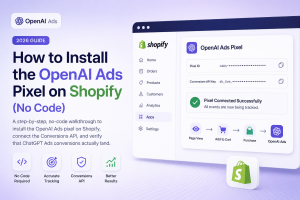
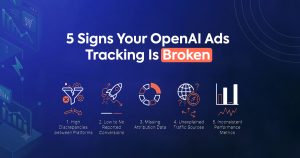
Every benchmark in this guide assumes your tracking actually works. On OpenAI Ads, this assumption fails more often than on any other platform, because Shopify doesn’t ship a native integration and most merchants default to browser-only pixels.
A browser pixel misses roughly 35% of sales to ad blockers, iOS privacy restrictions, and checkout redirects. That means your reported CPA is 35% too high, your reported ROAS is 35% too low, and the algorithm optimizes toward a biased 65% of your actual buyers. You can’t evaluate chatgpt ads performance accurately on data that’s a third wrong.
Server-side tracking through Count captures 99.4% of actual Shopify orders, deduplicates automatically by order ID, and delivers events to OpenAI in under 60 seconds. The free plan includes the full server-side pixel — so there’s no reason to start your 30-day evaluation on incomplete data.
Fix the measurement first. Then, and only then, do the benchmarks in this guide tell you the truth.
What to Do After Day 30
If the first month validates the channel, the next question is whether to scale it yourself or hand it off. Some teams have the bandwidth and creative skill. Others would rather focus their energy on the channels they already know.
Count’s managed OpenAI Ads service handles scale-up on the same server-side foundation — creative, bidding, budget allocation, and weekly reporting against Shopify actuals. It starts with a free readiness audit that measures your conversion gap before you commit additional spend, so you scale on complete data rather than a partial picture.
Frequently Asked Questions
Q1: What openai ads results should I expect in the first week?
Expect noisy, inconsistent data. CPC will likely run $3–$7 as the algorithm tests different conversational contexts. CTR will sit around 0.3%–0.6%, below the platform average. Conversions will come in sporadically. This is normal — the system genuinely starts from scratch, and week-one numbers don’t predict long-term performance.
Q2: When does the learning phase end on OpenAI Ads?
There’s no official “learning phase” label like Meta uses. In practice, the algorithm needs roughly two to three weeks of consistent daily spend and accurate conversion data before its targeting stabilizes. By day 21 to 25, your CPC and CTR should show consistent day-over-day patterns rather than random swings.
Q3: What’s a good ROAS for ChatGPT Ads in the first month?
For ecommerce, a 2×–5× ROAS is a healthy range after 30 days, depending on your category and margins. However, ROAS is unreliable until you’ve accumulated at least 30 conversions, because single high-value orders skew the metric dramatically in small samples. Use CPA as your primary metric until ROAS stabilizes.
Q4: Should I pause my OpenAI Ads campaign if week one looks bad?
No. Week-one data is too noisy to act on. The algorithm is exploring, not optimizing. Pausing resets the learning and wastes the data you already paid for. The exception: if your tracking verification shows that events aren’t reaching OpenAI at all (zero events in your data source), fix the tracking issue first — but don’t pause because early ROAS looks weak.
Q5: How do I know if my chatgpt ads performance is a tracking problem or a real problem?
Compare your ad platform’s conversion count to your Shopify order count for the same week. A ratio near 1.0 means your tracking works and the performance is real. A ratio significantly below 1.0 means your pixel misses sales, and your reported performance is worse than reality. Fix the tracking gap with server-side delivery before drawing any conclusions about the channel.
Q6: How much should I spend in the first 30 days to get reliable data?
Most practitioners recommend $25–$50 per day, which totals $750–$1,500 over 30 days. That budget typically generates enough impressions, clicks, and conversions for the algorithm to learn and for you to evaluate real patterns. Spending less stretches the learning phase and delays the point where your data becomes trustworthy.
Q7: What’s the most common reason OpenAI Ads fail in the first month?
Incomplete tracking. A browser-only pixel captures roughly 64% of actual sales, so the algorithm optimizes toward the wrong audience, the reported ROAS looks artificially low, and the merchant concludes the channel doesn’t work. The channel worked — the data just didn’t show it. Server-side tracking is the single highest-impact fix.