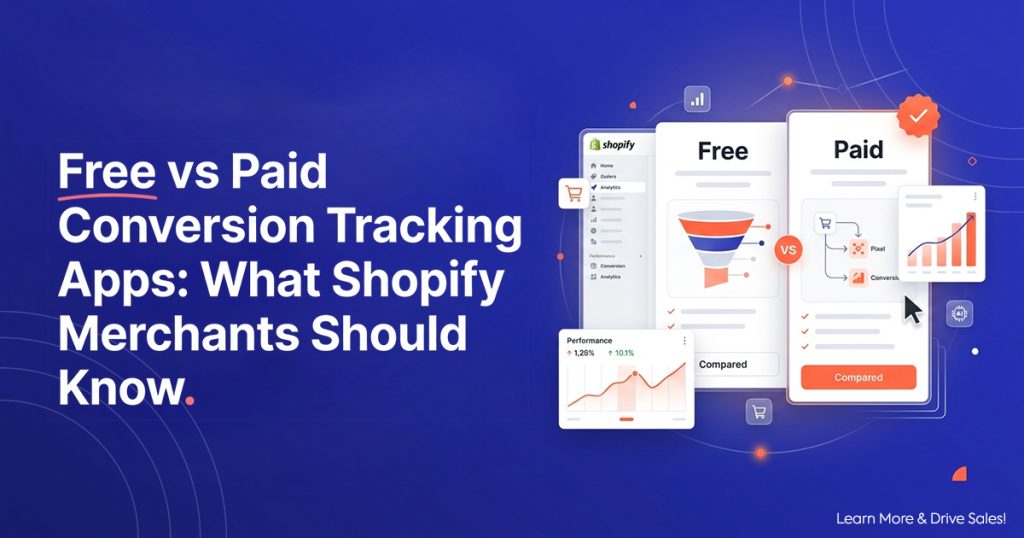
Every Shopify merchant running paid ads eventually lands on the same question: do I need a paid shopify tracking app, or does a free one cover it?
The honest answer depends on your store’s event volume, how many ad platforms you run, and whether you can afford to discover a tracking gap after you’ve already spent the budget. Free plans exist for a reason — and so do paid ones. The trick is knowing which side of that line your store sits on.
This guide walks through what free tracking plans actually include, where they genuinely work, where they break, and exactly what you get by upgrading — so you can match the tier to your store instead of overpaying for features you don’t need or underpaying for accuracy you can’t afford to lose.
What Every Tracking App Should Do (Free or Paid)
Before comparing tiers, establish the baseline. A conversion tracking app earns its place on your store only if it handles all four of these, regardless of price.
Server-side event delivery
This is the non-negotiable. A browser-only pixel misses roughly 35% of your conversions to ad blockers, iOS privacy restrictions, and checkout redirects. Server-side delivery sends purchase events directly from Shopify’s order webhook to your ad platform’s API — no browser in the loop, nothing to block. If a tracking app doesn’t offer server-side delivery on its free plan, the free plan isn’t saving you money — it’s hiding a third of your sales.
Automatic event deduplication
If you run both a browser pixel (for mid-funnel events like page views and add-to-carts) and server-side delivery (for reliable purchase confirmation), both tracks can report the same sale. Without a shared event ID, that purchase counts twice. As a result, your ROAS inflates and the algorithm optimizes on phantom data. Deduplication by Shopify order ID must work on every tier, not just the paid ones.
Accurate order values
The tracking app must send the correct post-discount, post-tax order total in your store’s currency. Approximate values or rounded figures teach the algorithm to optimize toward approximate revenue. If your tracking reports $50 when the actual order was $47.63, value-based bidding becomes unreliable — and consequently so does every ROAS calculation downstream.
Consent awareness
Any tracking app that sends events without checking Shopify’s Customer Privacy API creates a compliance risk. Consent-aware delivery should work out of the box on every plan, because GDPR and regional privacy requirements apply regardless of what you pay.
When Free Tracking Is Genuinely Enough
Free plans aren’t a trap. For the right store at the right stage, free tracking does everything you need. Here’s when that applies.
You run one ad platform and your event volume is low
If your store runs only OpenAI Ads (or only Meta, or only TikTok) and generates fewer than 10,000 tracked events per month — page views, add-to-carts, and purchases combined — a free plan with full server-side delivery covers you completely. There’s no accuracy difference between free and paid at this volume. The pixel fires the same way, the API delivers the same data, and the deduplication logic works identically.
You’re testing a new channel and need proof before committing budget
A free plan is the right starting point when you’re evaluating whether a channel works at all. Install, verify, run a 30-day test at $25–$50/day, and check whether the conversion data matches your Shopify orders. If the channel shows promise, then decide whether higher volume and additional features justify an upgrade. You shouldn’t pay for a tracking app before you’ve confirmed the ad platform deserves your spend.
You have someone technical who monitors the setup
Free plans typically don’t include automated alerts or configuration monitoring. If someone on your team checks the event log weekly, audits the platform-versus-Shopify conversion ratio, and catches issues before they compound, you can run free indefinitely without a problem. The data accuracy is the same — what you lose is the safety net that catches problems while you’re not looking.
Where Free Plans Break
Free plans don’t break because they’re worse. They break because growing stores outgrow them in specific, predictable ways.
Event volume exceeds the free tier’s cap
Most free plans cap monthly events — typically at 5,000 to 15,000. A store running $100/day in ad spend across one platform easily generates 10,000+ events monthly from page views, product views, add-to-carts, checkout initiations, and purchases. Cross that threshold and events either stop being tracked (dangerous) or the app forces an upgrade (fair). The timing of this cap matters: hitting it mid-month means your second-half data goes dark, and the algorithm loses signal at the worst possible moment.
You add a second or third ad platform
Running OpenAI Ads and Meta Ads simultaneously roughly doubles your event volume, because each platform receives its own stream of events. Adding TikTok triples it. Free plans that work comfortably for one platform can overflow within days of adding a second one.
Nobody watches the event log
This is where free plans fail most quietly. A configuration change — a theme update, an app conflict, a Shopify Markets adjustment — silently breaks event delivery. On a paid plan with automated alerts, you get an email the same day. On a free plan, the problem sits undetected until you notice your ROAS tanked two weeks ago and can’t figure out why. The cost of that gap in data dwarfs the cost of the upgrade that would have caught it.
You need revenue attribution across campaigns
Free plans typically report events — what happened, how many, and when. Paid plans attribute revenue to specific campaigns, ad sets, and creatives — which campaign generated the $12,000 in attributed revenue last week, and which one generated $800. If you run multiple campaigns simultaneously and need to know where your money actually comes from, that attribution layer is what the paid tier adds.
What Paid Tiers Actually Give You
Paid tracking plans don’t make the pixel more accurate — the pixel works the same on every tier. What they add falls into three categories: capacity, visibility, and safety.
Capacity: higher event volumes
Paid plans raise or remove event caps. A store doing $300/day across two platforms can comfortably run 100,000+ events monthly. The paid tier ensures none of those events get dropped.
Visibility: revenue attribution and reporting
Instead of just seeing “47 purchases this week,” you see which campaign, which ad set, and which creative drove each one. This level of detail becomes essential once you run more than one campaign simultaneously, because aggregate conversion counts can’t tell you where to shift budget.
Safety: automated alerts and config monitoring
A paid plan watches your setup for you. If events stop flowing, values go wrong, or deduplication breaks, you get notified the same day — not three weeks later when you finally audit manually. For stores spending $100+/day on ads, a single day of broken tracking can cost more than a full year of the paid plan.
Count’s Free, Starter, and Pro Tiers: What Each Includes
Here’s how Count structures its plans, so you can match the tier to your store. See full pricing details.
Free — $0/month
- 10,000 events/month — page views, add-to-carts, purchases combined
- Full server-side pixel — same accuracy as paid plans, not a limited version
- Automatic deduplication by Shopify order ID
- Real-time event log — watch events land as they happen
- Consent-aware via Shopify’s Customer Privacy API
Ideal for single-platform testing, low-volume stores, and channel evaluations. The accuracy isn’t gated — the free plan tracks every sale the same way the Pro plan does.
Starter — $9/month
- 100,000 events/month — enough for most stores running one to two platforms at moderate spend
- Everything in Free plus revenue attribution — see which campaigns drive which revenue
- Email delivery alerts — get notified if events stop flowing or values go wrong
- On-demand config validation — check your setup is correct whenever you want
Best for stores spending $50–$200/day that need to know which campaigns produce results, not just that results exist. The alert system is the key addition — it catches breaks before they cost you.
Pro — $29.99/month
- Unlimited events — no cap, no throttling, regardless of volume
- Everything in Starter plus daily automated config monitoring — your setup gets checked automatically every 24 hours
- Priority support — faster response when something needs attention
Built for stores spending $200+/day across multiple platforms where a single day of broken tracking can cost more than a year of the subscription. The daily monitoring removes the need for anyone on your team to remember to check.
What stays the same across all tiers
Accuracy. The server-side pixel, deduplication logic, order-value precision, and consent handling work identically on Free, Starter, and Pro. You never pay for accuracy — you pay for capacity, visibility, and safety.
How to Decide Which Tier Fits Your Store
Start free if:
- You run one ad platform with monthly ad spend under $1,500
- Your total tracked events stay under 10,000/month
- Someone on your team checks the event log at least weekly
- You’re testing a new channel and don’t know yet if it’ll scale
Move to Starter if:
- You add a second ad platform or your event volume crosses 10,000/month
- You need to know which campaigns generate revenue, not just that revenue exists
- You want automated alerts so tracking breaks don’t go unnoticed for weeks
- Your ad spend sits between $1,500 and $6,000/month
Move to Pro if:
- Your monthly event volume exceeds 100,000 or you run three or more platforms
- Your daily ad spend exceeds $200 and a single broken day costs more than a year of the plan
- You want daily automated monitoring so nobody on your team needs to remember to check
- You need priority support for faster issue resolution
The decision in one line
If a day of broken tracking costs you less than $9, stay free. If it costs you less than $30, Starter covers you. If it costs you more than $30, Pro pays for itself before lunch.
The Real Cost of “Free” When It’s Not Enough
The most expensive free pixel app shopify merchants use is the one that’s too small for their store. A free plan that drops events mid-month silently removes the last two weeks of conversion data from your ad platform’s optimization. The algorithm doesn’t know the data stopped — it just sees conversions decline, concludes the audience deteriorated, and shifts budget toward the wrong people.
By the time you discover the cap, two things have happened. First, you’ve spent two weeks of ad budget optimizing on incomplete data. Second, the algorithm has learned the wrong lessons and needs another two weeks to re-learn once the tracking resumes. That’s a month of suboptimal spend — often several hundred to several thousand dollars — to save $9 or $30 per month on the tracking plan.
The math isn’t close. Match the tier to your volume, and upgrade before you hit the cap rather than after.
Install Count on Shopify — free →
Frequently Asked Questions
Q1: Is a free shopify tracking app accurate enough for paid ads?
Yes — if the free plan includes full server-side delivery and automatic deduplication, the accuracy matches paid plans. The difference between tiers is capacity (event volume), visibility (revenue attribution), and safety (automated alerts) — not pixel accuracy. A free plan that only offers browser-side tracking, however, misses roughly 35% of sales regardless of what it costs.
Q2: Does paying more make the pixel more accurate?
No. On a properly built tracking app, the server-side pixel, deduplication, order values, and consent handling work identically across every plan. Paid tiers add capacity for higher event volumes, revenue attribution for campaign-level reporting, and automated monitoring that catches configuration breaks before they cost you money.
Q3: How do I know if I’ve outgrown the free tier?
Check your monthly event count against the plan’s cap. If you’re approaching or exceeding the limit, events will either stop tracking or the app will prompt an upgrade. The more dangerous signal is less obvious: if someone on your team hasn’t checked the event log in over a week, you’ve outgrown the free tier’s self-service model and need automated alerts.
Q4: What happens if I hit the event cap mid-month on a free plan?
This varies by app. Some stop tracking entirely, which creates a data blackout that harms your ad platform’s optimization. Others throttle or queue events. In either case, your algorithm loses signal at the worst possible moment — mid-campaign, mid-month, with no warning. Upgrading before you hit the cap prevents this entirely.
Volume, platforms, and upgrading
Q5: Should I start with a free plan and upgrade later?
Yes — this is the recommended path. Install the free plan, verify tracking accuracy with a test order, run your initial campaigns, and then evaluate whether your volume and operational needs justify Starter or Pro. There’s no benefit to paying for features you don’t need yet, and no risk in starting free because the accuracy is the same.
Q6: How many events does a typical Shopify store generate per month?
A rough guide: for every $1,000 in monthly ad spend driving traffic to your store, expect roughly 5,000 to 15,000 tracked events (page views, product views, add-to-carts, checkouts, and purchases combined). A store spending $3,000/month on ads across two platforms typically generates 15,000 to 45,000 events. These numbers vary by traffic quality, bounce rate, and how many event types you track.
Q7: Can I use a free tracking app for multiple ad platforms simultaneously?
You can, but watch your event volume. Each platform receives its own stream of events, so running two platforms roughly doubles your monthly count and three platforms roughly triples it. If the free plan caps at 10,000 events, adding a second platform may push you past the limit within the first week of the month.